
Technical Writing Samples
Examples of structured documentation and instructional writing demonstrating technical communication and workflow documentation.
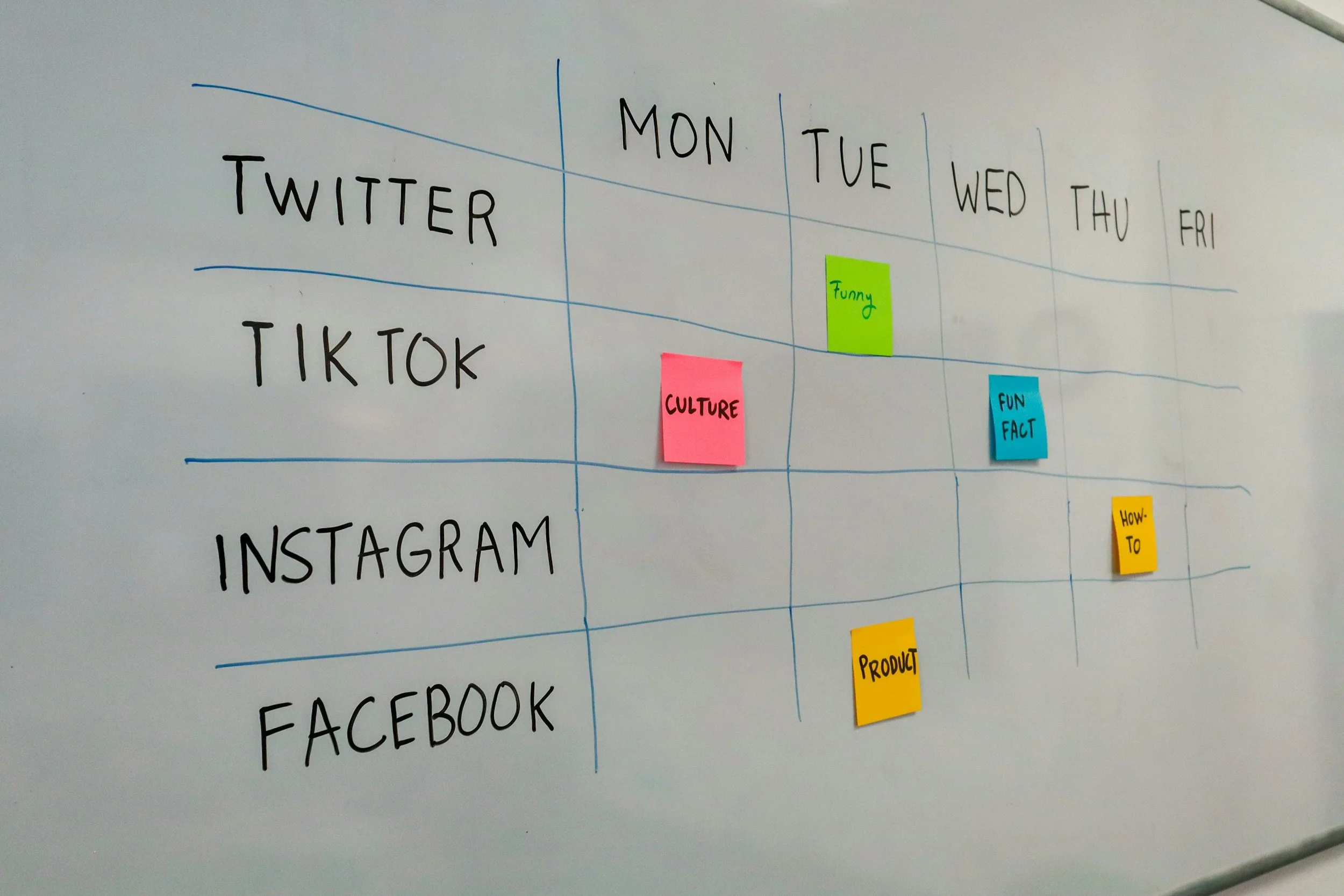
Social Media Content Calendar Guide
How to Create a Monthly Social Media Content Calendar
Document Type Process Guide
Audience Social Media Managers, Marketing Teams
Estimated Time 10 minutes
Tools Spreadsheet or planning software
Last Updated 2026
Overview
A social media content calendar helps teams, plan, organize, and schedule content in advance. Maintaining a calendar improves consistency, ensures alignment with marketing goals, and reduces last-minute posting.
This guide explains how to create a simple monthly content calendar.
Steps
Define Your Monthly Goals
Identify the primary objective for your content. Examples include increasing engagement, promoting a product, or driving website traffic.
Summary
Identify Content Themes
Choose three to four themes that will guide your content throughout the month.
Examples may include:
Educational posts
Promotional content
Behind-the-scenes content
Customer stories
A structured content calendar helps teams maintain consistent social media activity and ensures content aligns with marketing goals.
Requirements
Before starting, make sure you have:
A spreadsheet tool (Google Sheets or Excel)
A list of platforms you manage
Content ideas or marketing themes
Create Your Calendar Structure
Create a spreadsheet with columns such as:
Date
Platform
Post type
Caption or topic
Status
Schedule Your Posts
Assign content to specific dates and ensure a consistent posting schedule.

Overview
Steps
Choose a Topic
Select a topic that aligns with your content goals or audience interests.
Short-form video is a widely used format on platforms such as Instagram, TikTok, and LinkedIn. These videos are designed to deliver concise, engaging content that captures attention quickly.
This guide explains a simple workflow for planning and producing short-form video content.
Outline the Video
Short-form videos typically follow this structure:
Hook (capture attention quickly)
Main content
Call to action
Summary
Film the Video
Following a structured workflow helps creators produce clear and engaging short-form video content.
Short-Form Video Planning Guide
How to Plan and Produce a Short-Form Social Media Video
Document Type Workflow Guide
Audience Content Creators, Marketing Teams
Estimated Time 15 minutes
Tools Smartphone, editing software
Last Updated 2026
Requirements
You may need:
A smartphone or camera
Basic video editing software
A social media platform for publishing
Use stable lighting and record multiple takes if necessary.
Edit the Video
Editing tasks may include:
Trimming footage
Adding captions
Adjusting audio levels
Publish the Video
Upload the video and include a caption and hashtags if appropriate.